

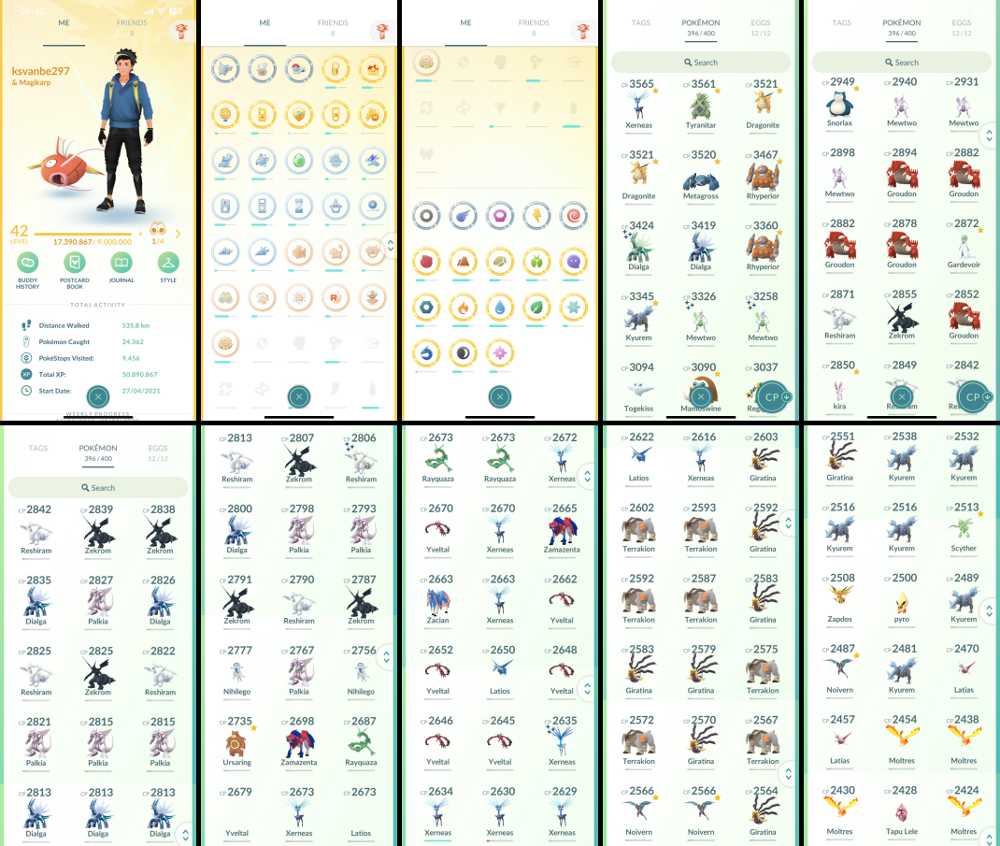
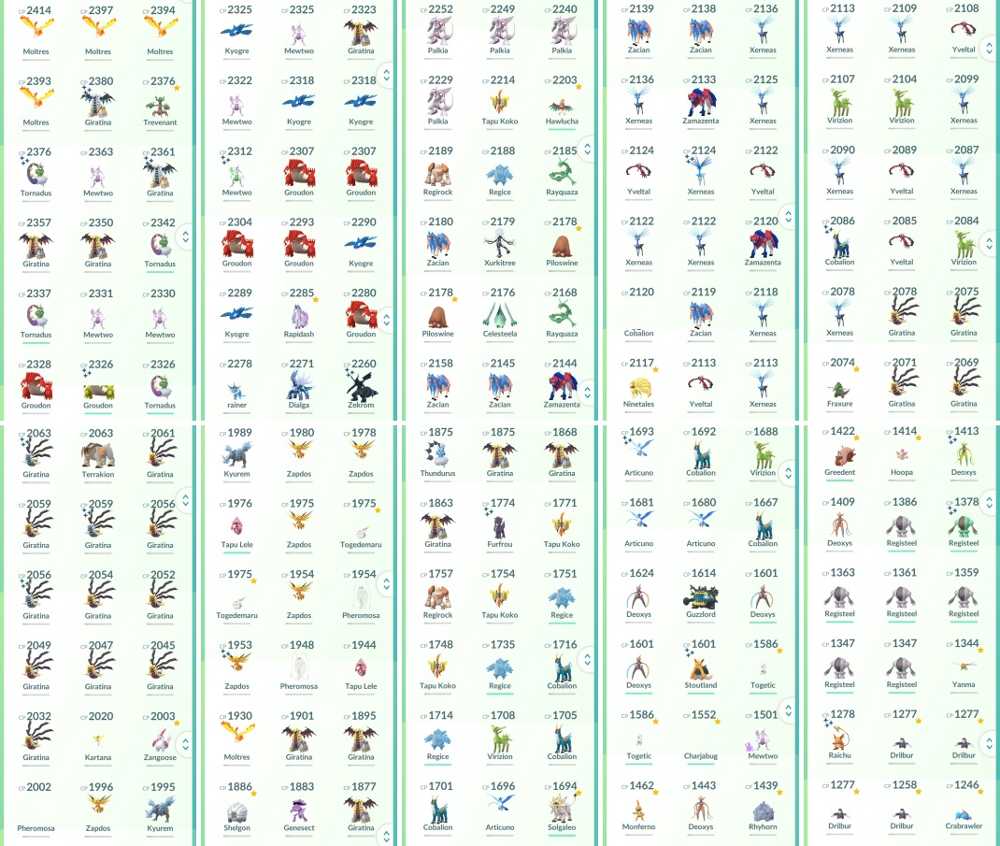
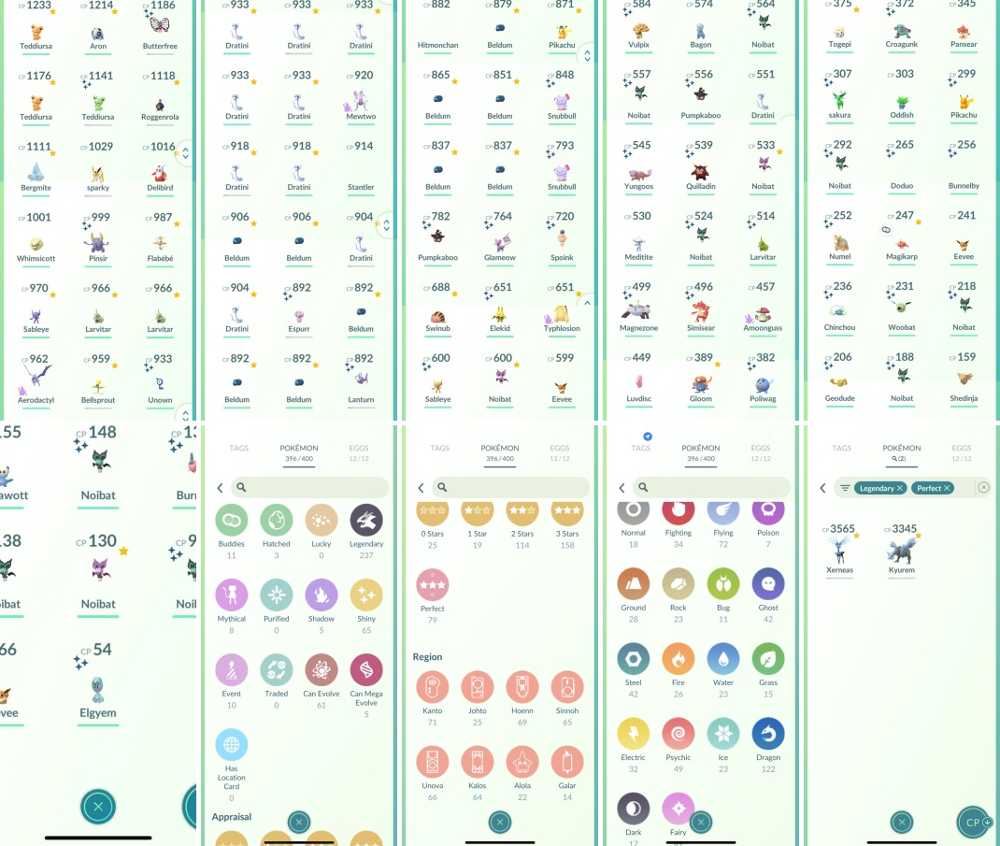
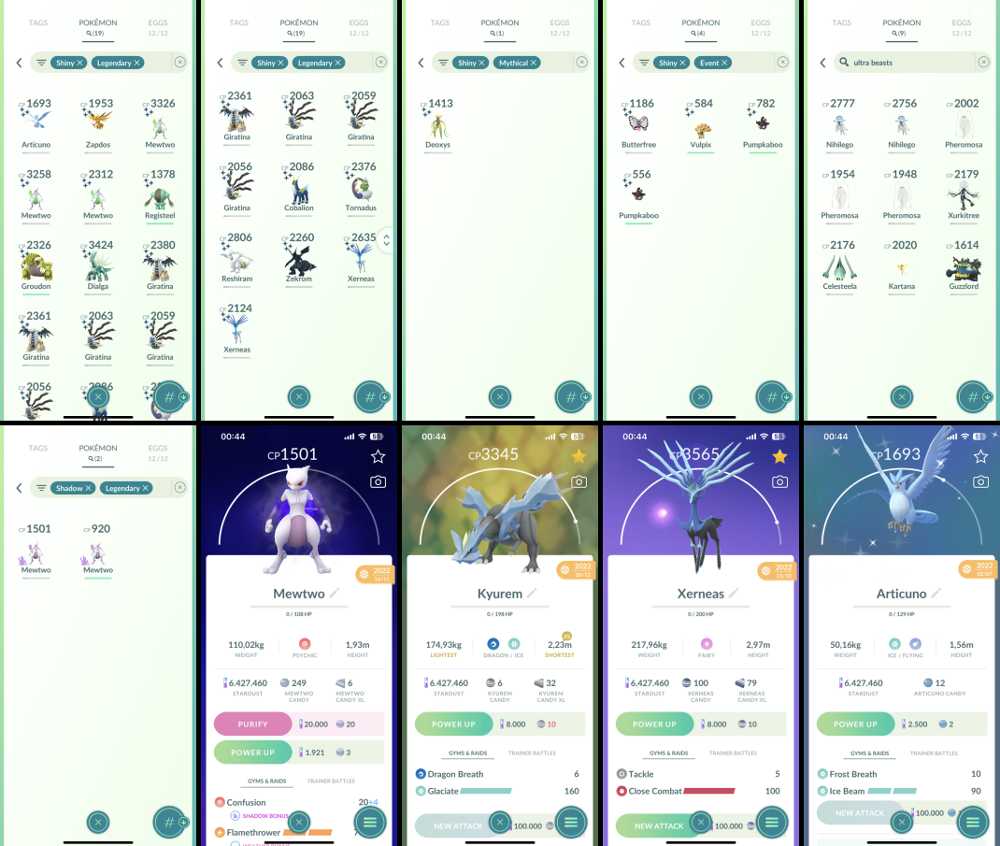
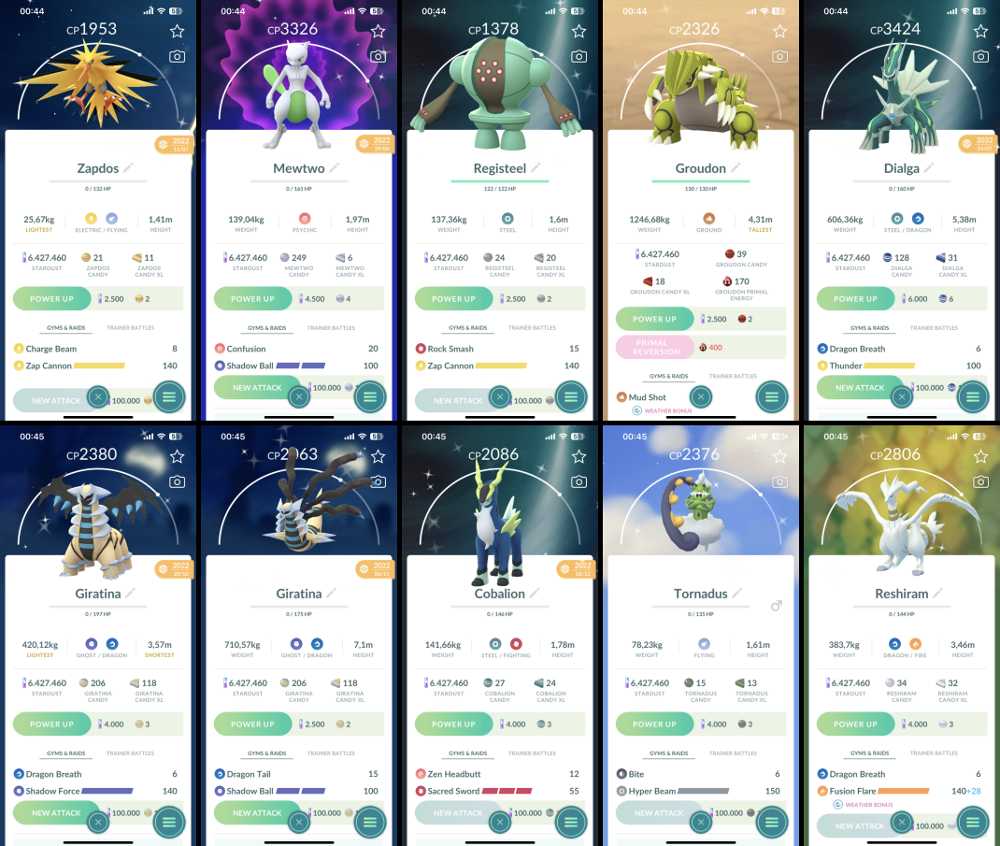
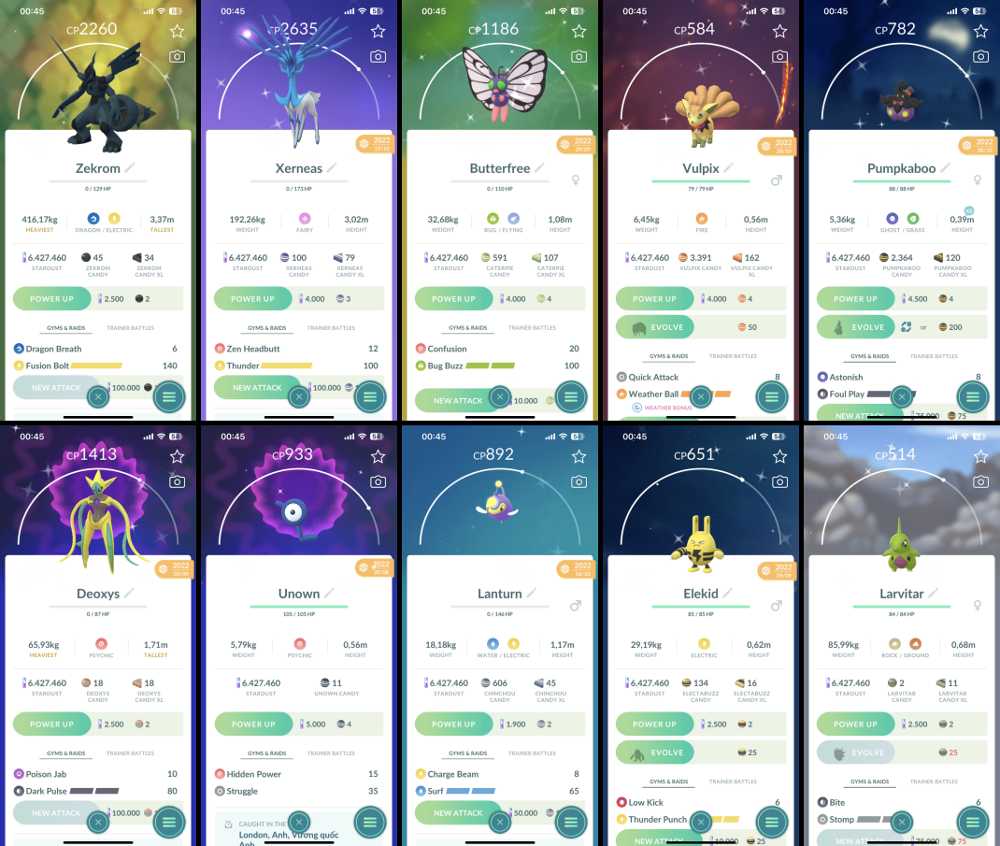
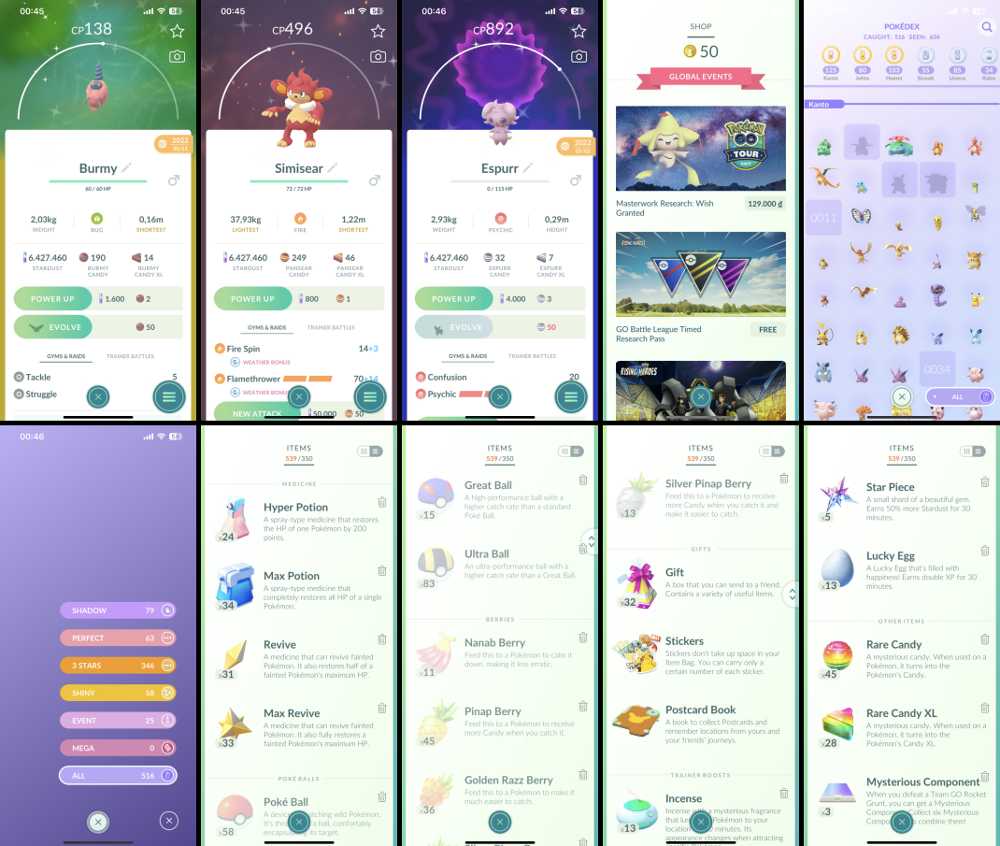
Level 42+17M Exp, 2 Legend IV 100, 396 Pokemon, 79 IV 100, 65 Shiny, 237 Legend, 19 Shiny Legend, 4 Event Shiny, 6.4M Stardust, 2 Shadow Mewtwo
48.60


Silver
5.0 (37)
Description
✅Level 42+17M Exp
✅Team Instinct
✅Stardust 6.427.460
✅Method Login PTC
✅Nickname Yes
✅Can be change email Yes
✅Can be change team Yes
✅Can be change Gender Yes
✅Bag Item 350
✅Pokedex 516
✅Pokecoin 50
🔥Legend IV 100% Kyurem, Xerneas
🔥Mythical IV 100% 0
🔥Ultra Beasts IV 100% 0
🔥Shadow Legend IV 100% 0
🔥Purify Legend IV 100% 0
⚡️Quantity Pokemon 396
⚡️Quantity IV 100% Pokemon 79
⚡️Quantity Legend Pokemon 237
⚡️Quantity Ultra Beasts 9
⚡️Quantity Mythical 8
⚡️Quantity Lucky Pokemon 0
⚡️Quantity Pokemon 0 Attack( PVP) 0
⚡️Quantity Pokemon 3 Move( PVP) 0
⚡️Quantity Pokemon “Special Move” 105
⚡️Pokemon Special 2 Shadow Mewtwo
✨ Quantity Shiny Pokemon 65
✨ Quantity Shiny Legendary 19
✨ Quantity Shiny IV 100% 0
✨ Shiny Baby Elekid
✨ Shiny Special 4 Event
📢 HOW DO I MAKE A PURCHASE?
Very simple, you just need to pay on the website, after successful payment, the website will send "account game information" to your email.
📢 COMMITMENT
1.Time to reply to message: In a few hours (usually will be less than 1 hour)
2.100% refund if there is a problem with the account
3.All description information is correct
4.After successful payment, you will receive account information immediately
📢 INSTRUCTIONS TO CHANGE GOOGLE ACCOUNT
Log in to the game with the Google account that you bought or use to play!
Go to Game settings, link the game account to a Facebook account. After that, you sign out of your Google account.
Log in to the game with the Facebook account that you linked on step 2. After signing in, go to game settings and unlink the google account. Then log out the game!
Sign in again with the Facebook account. Go to game settings and you can link the game account to a different Google account that you want ( the new google account will not link with any game account on this time). Done, you can use the new Google account to log in to the game. You can unlink to the Facebook account if you want.
📢 INSTRUCTIONS FOR CHANGING EMAIL AND PASSWORD ACCOUNT PTC
To change your password:
Log in to your Pokémon Trainer Club account.
Click Change Password.
Enter your Current Password, your New Password, and then Confirm New Password.
Click Change.
To change your email address:
Log in to your Pokémon Trainer Club account.
Click Change Email Address.
Enter your Current Password, your New Email Address, and then Confirm Email.
Click Change.
Message me after changing the email, I'll confirm.
Specification
Accounts
Pokemon Go
Automatic
Unbounded Account/phone
Looking for Pokemon Go Accounts? You can easily browse Pokemon Go Accounts for Sale, or find Cheap Pokemon Go Accounts from multiple verified sellers on ZeusX.

ZeusX Guarantee
Shop with confidence when you Buy Pokemon Go Accounts. Your payment is securely held by ZeusX until the transaction is completed. If you do not receive your item, receive a non-working item, or the item does not match the listing description, you can raise a dispute and our team will help resolve the issue.