ACCOUNT OVERVIEW
☑️Platforms: Android and iOS
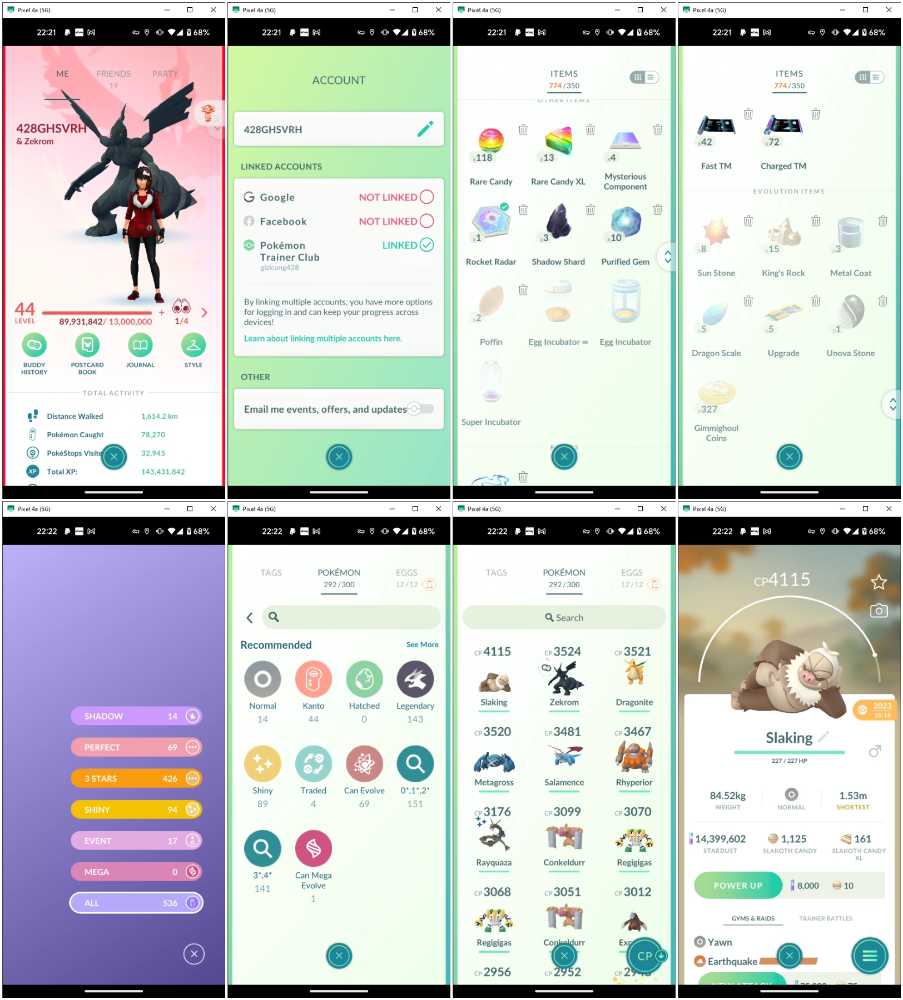
☑️Level: 44
☑️Start Date: 24/04/2023
☑️XP: 143,431,842
☑️Team: Valor
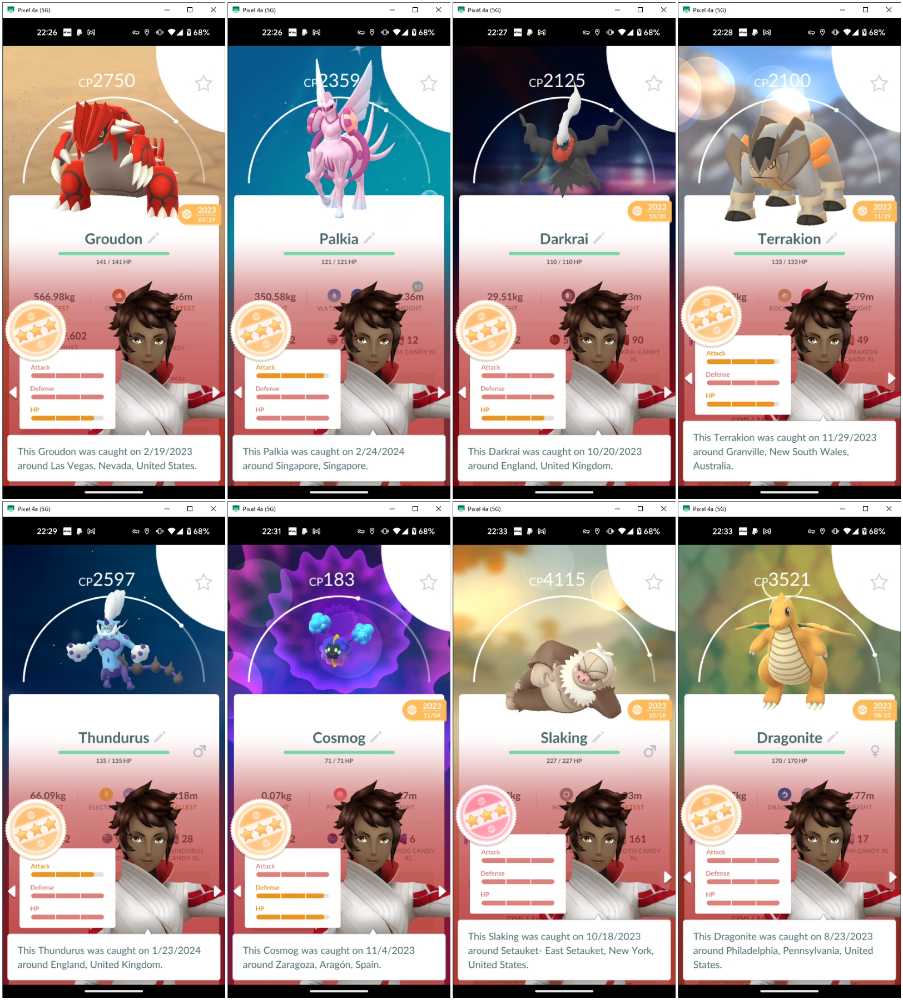
☑️Stardust: 14,399,602
☑️Login Method: PTC
☑️Mail changeble: Yes
☑️Name changeble: Yes
☑️Team changeble: Yes
☑️Pokemon Storage: 300
☑️Item bag: 350
☑️Pokedex Entries: 536
________
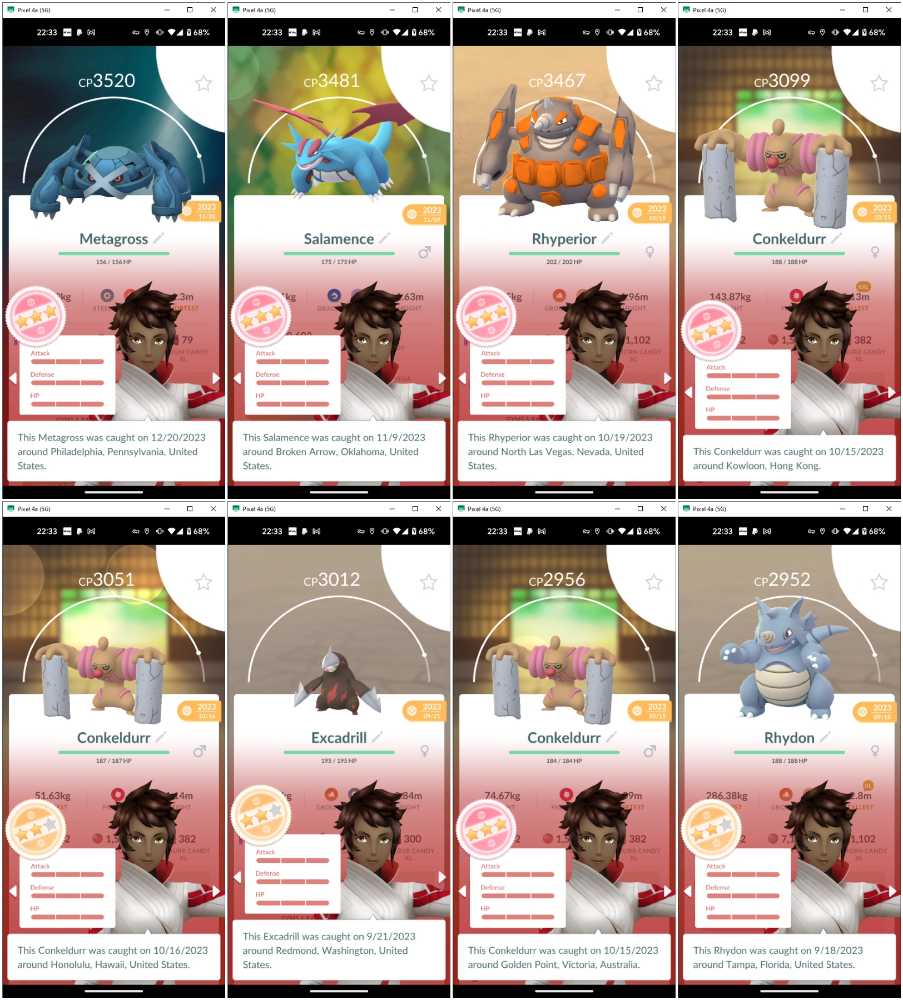
POKEMON COLLECTION
Total Pokemon: 292
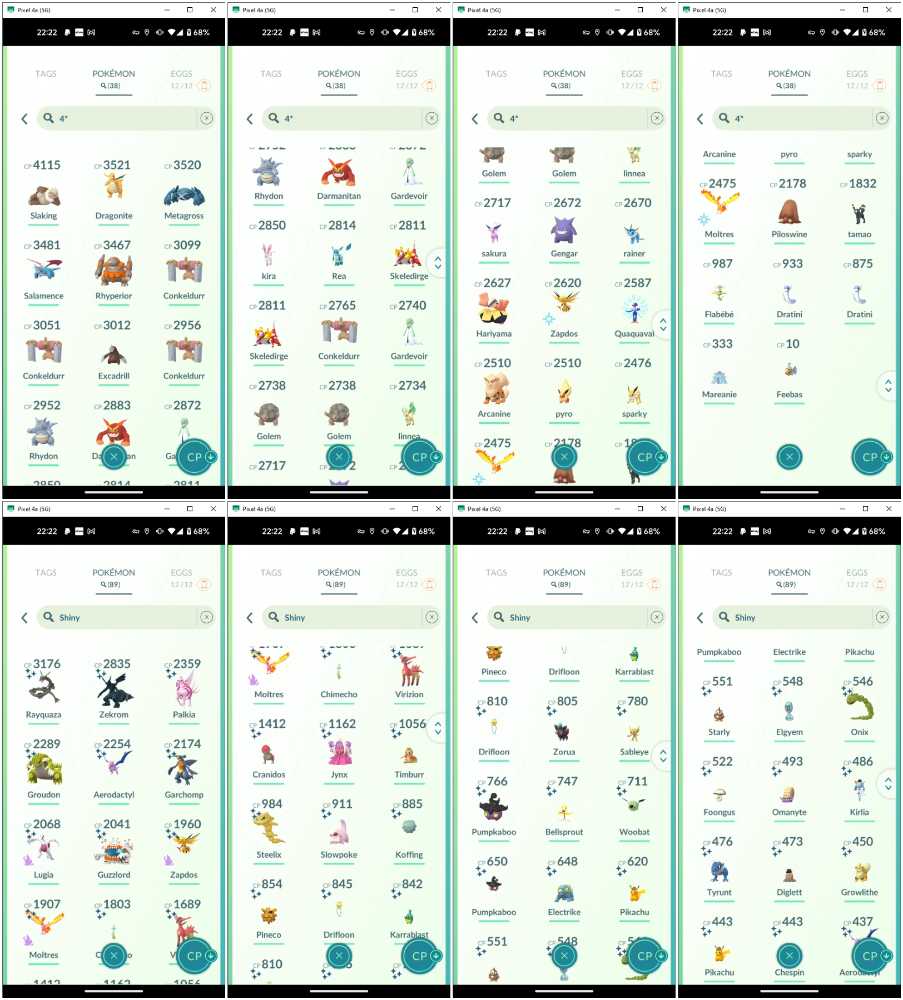
100IV Pokemon: 38
Special Moves: 61
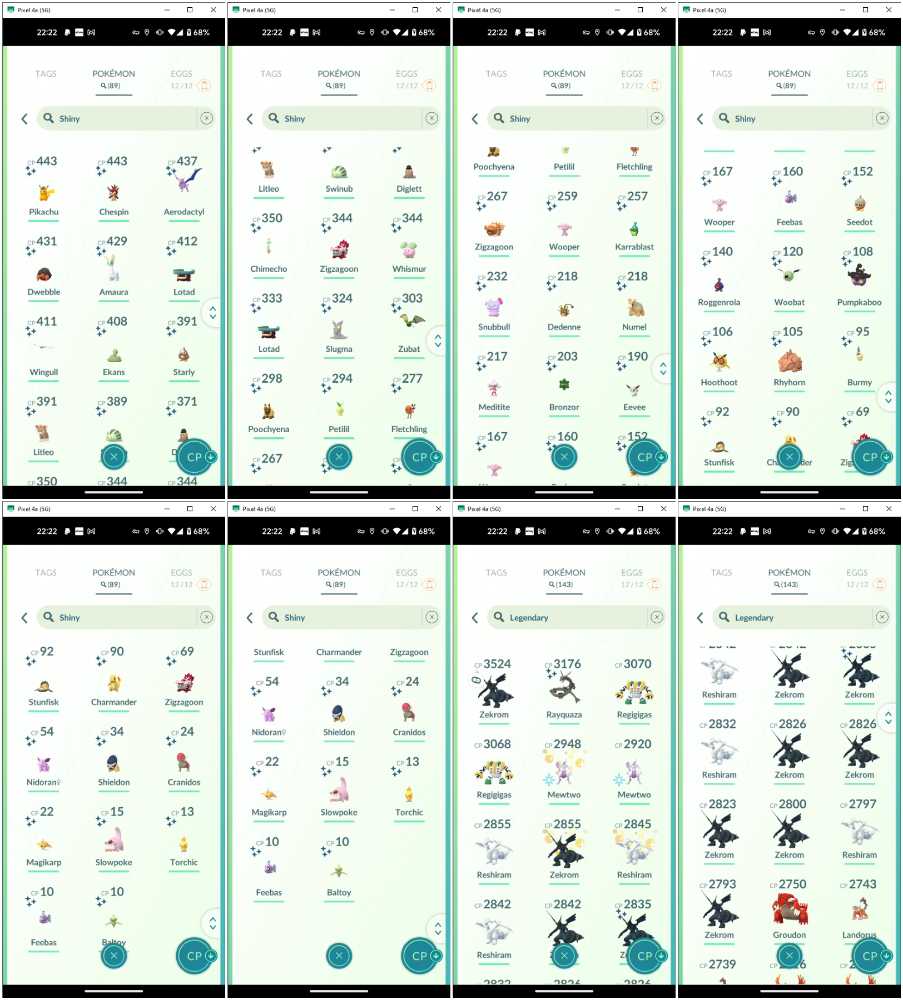
Shiny Pokemon: 89
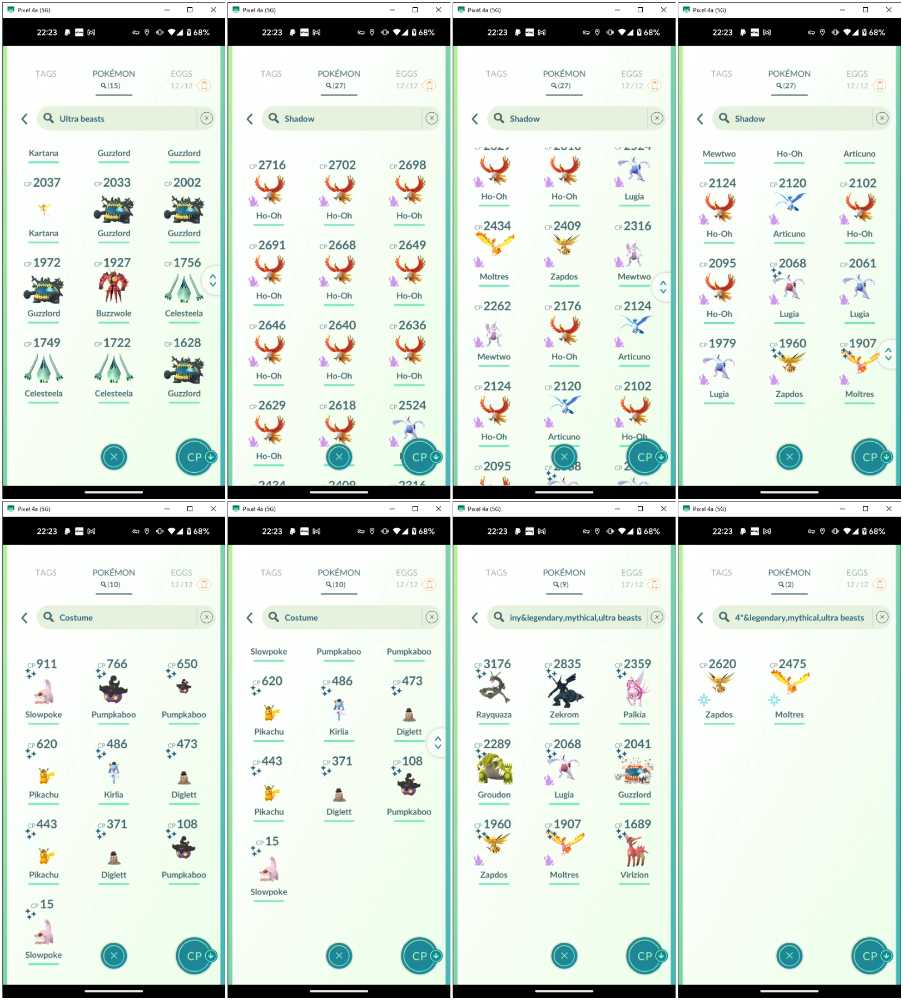
Costume Pokemon: 10
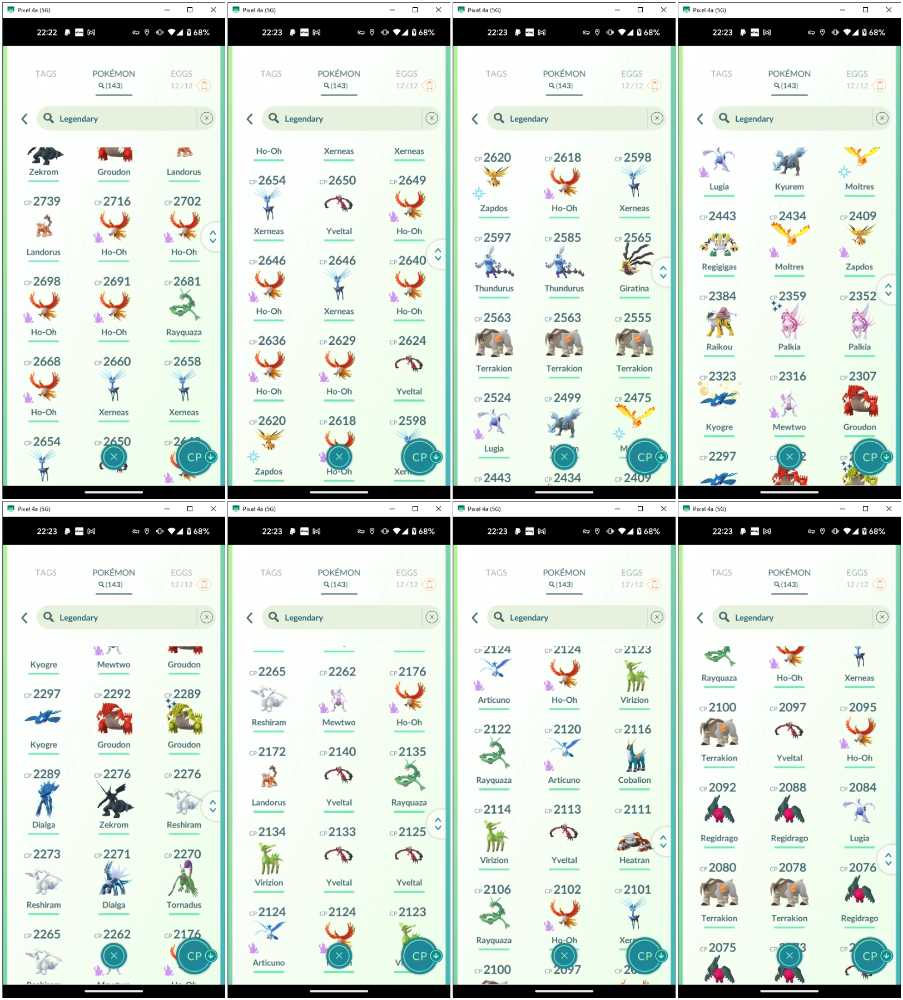
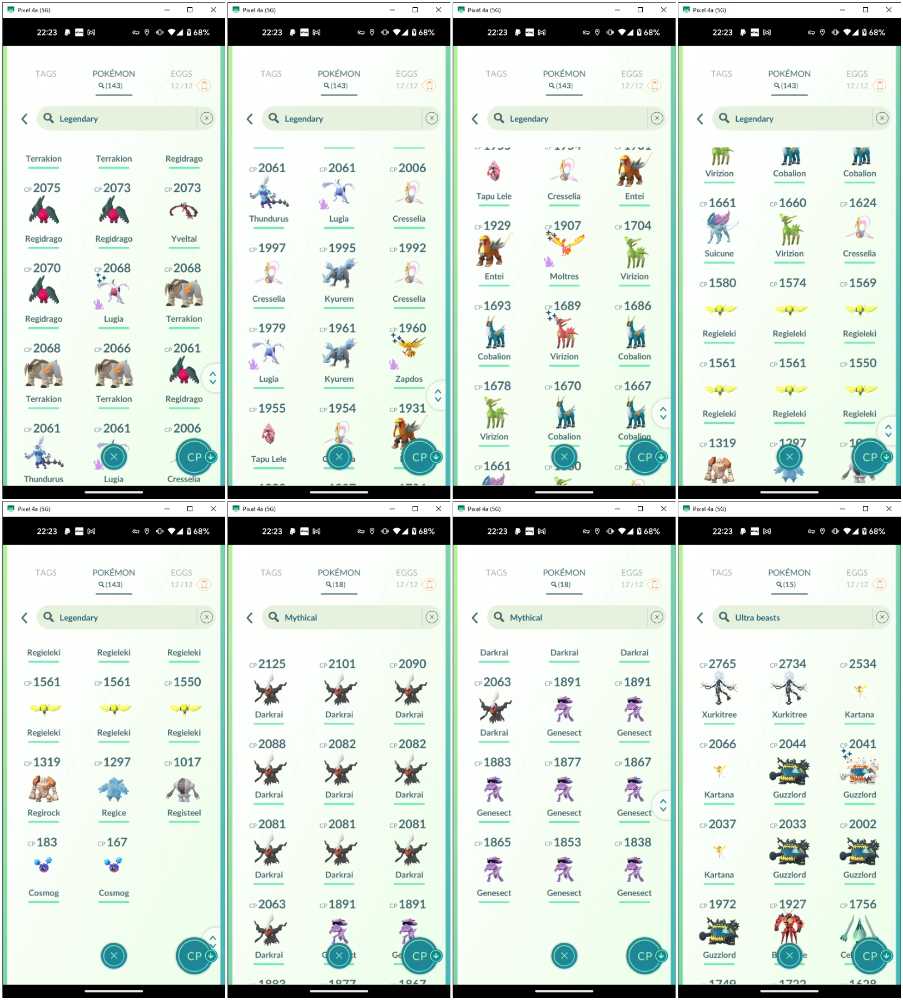
Legendary Pokemon: 143
Shiny Legendary: 8
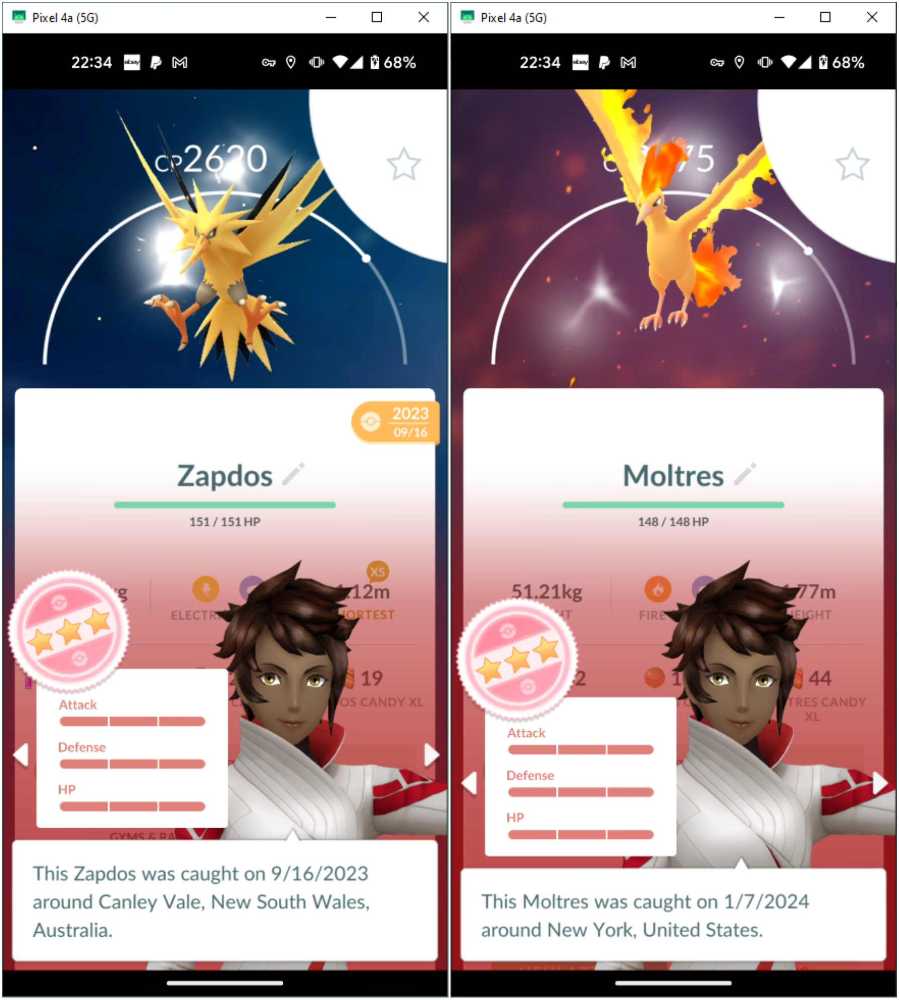
Legendary, Mythical, Ultra beasts 100IV: Moltres, Zapdos
Shadow Legendary: 27
Shadow Shiny: 3
Ultra beasts: 15
Shiny Ultra beasts: 1
Mythical Pokemon: 18
________
TRANSFER PROCEDURE
- Purpose: Make YOU the absolute owner. After these steps, I can no longer intervene to the account management.
- Preparation: A Gmail, Facebook or Apple ID that has never been linked in the Pokemon phone application.
Here we go:
1. Upon purchase, receive the username and password sent by the system.
2. In your mobile application, log in using Pokemon Trainer Club.
3. From the Map View, tap Ball, then Settings, then Account. You'll see the option to link your Gmail, Facebook or (for iPhone) Apple ID to this PoGO account. Link it.
4. Log out.
5. Log in again, this time not through PTC but with the linked service you have just made.
6. Go to Account setting again. Unlink the PTC.
And that's it. Enjoy your new journey.
NOTE: At the 1st step, if you don't see any email even after checking junk mails, it means the platform is encountering problems; please contact the website's support. I am prohibited to deliver login info by message since it is handled by the platform.
Good day!